
- Home
- Getting Started
- Documentation
- Release Notes
- Tour the Interface
- Tour the Layers
- JMARS Video Tutorials
- Lat/Lon Grid Layer
- Map Scalebar
- Nomenclature
- Crater Counting
- 3D
- Shape Layer
- Mosaics
- Map
- Advanced/Custom Maps
- Graphic/Numeric Maps
- Custom Map Sharing
- Stamp
- THEMIS
- MOC
- Viking
- CRISM Stamp Layer
- CTX
- HiRise
- HiRISE Anaglyph
- HiRISE DTM
- HRSC
- OMEGA
- Region of Interest
- TES
- THEMIS Planning
- Investigate Layer
- Landing Site Layer
- Tutorials
- Video Tutorials
- Displaying the Main View in 3D
- Finding THEMIS Observation Opportunities
- Submitting a THEMIS Region of Interest
- Loading a Custom Map
- Viewing TES Data in JMARS
- Using the Shape Layer
- Shape Layer: Intersect, Merge, and Subtract polygons from each other
- Shape Layer: Ellipse Drawing
- Shape Layer: Selecting a non-default column for circle-radius
- Shape Layer: Selecting a non-default column for fill-color
- Shape Layer: Add a Map Sampling Column
- Shape Layer: Adding a new color column based on the values of a radius column
- Shape Layer: Using Expressions
- Using JMARS for MSIP
- Introduction to SHARAD Radargrams
- Creating Numeric Maps
- Proxy/Firewall
- JMARS Shortcut Keys
- JMARS Data Submission
- FAQ
- Open Source
- References
- Social Media
- Podcasts/Demos
- Download JMARS
JMARS release 5.6.5
JMARS release 5.6.5 brings important Shape Layer enhancements and critical data integrity fixes
JMARS Release 5.6.5: Advanced Geometry Tools, Expanded Coordinate & Measurement Controls, and Critical Data Integrity Fixes
Based on recent user requests and feedback, this release introduces three new geometry functions for the Shape Layer, along with expanded calculated field options, improved coordinate formatting controls, enhanced data export behavior, and important data integrity fixes.
New Features and Enhancements
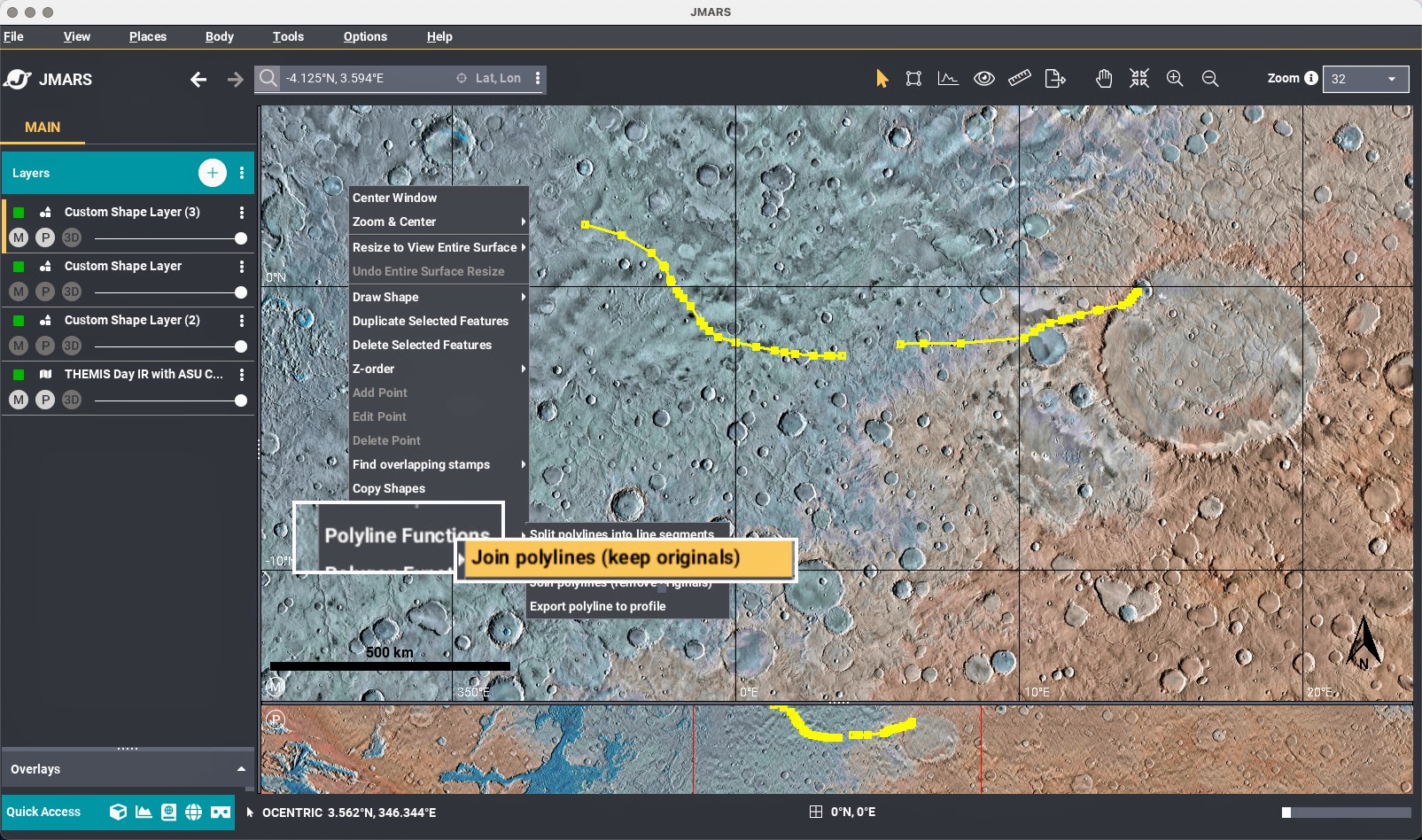
1. Shape Layer: Join Lines
Users can now join multiple selected lines into a single continuous line.
Two join modes are available:
- Join and Keep Originals
Creates a new continuous line while keeping the original source lines unchanged.
- Join and Remove Originals
Creates a new continuous line and removes the original source lines.
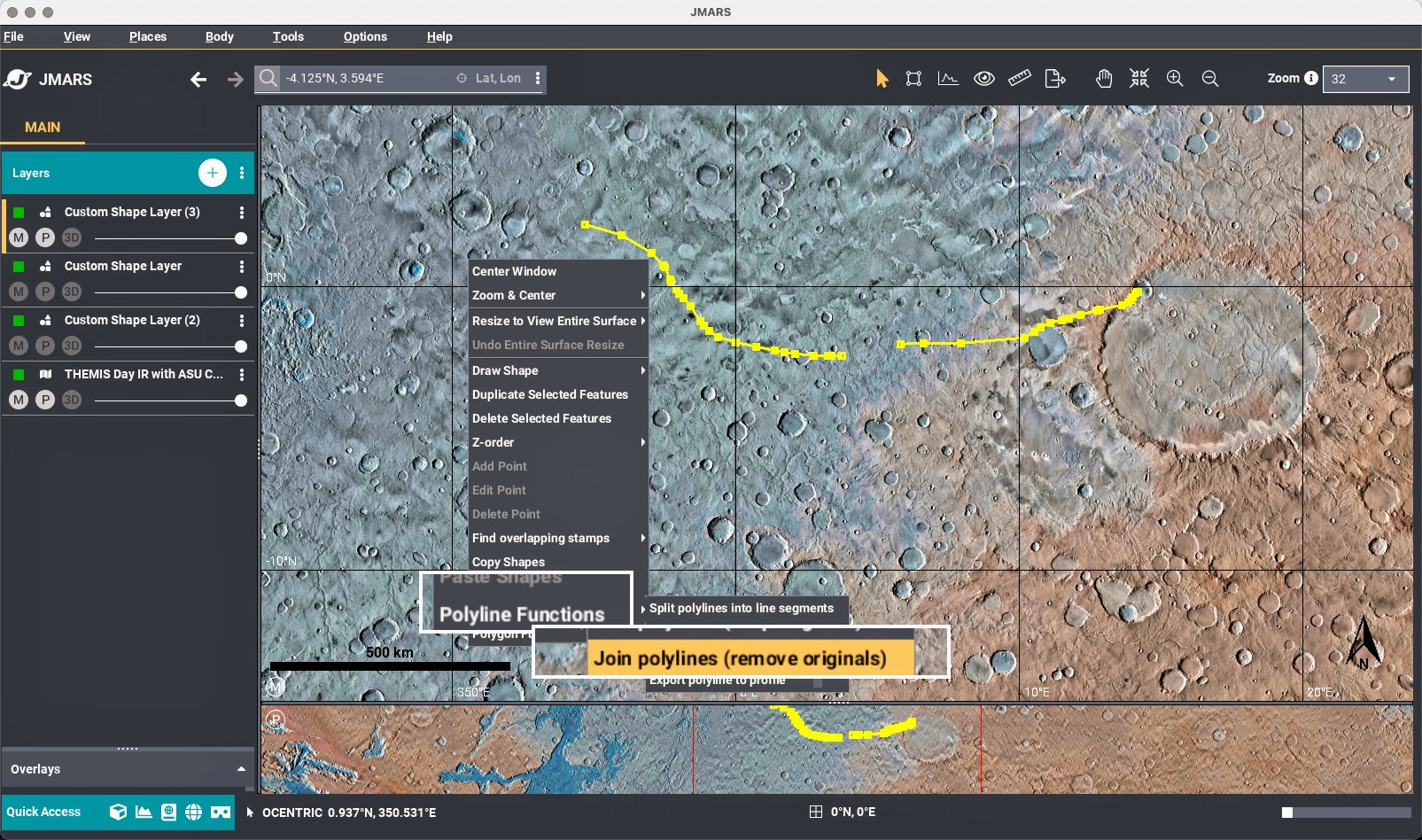
These new geometry tools can be accessed from the Shape Layer context menu under "Polyline Functions".
2. Shape Layer: Duplication
Users can now duplicate existing shapes (geometry and attributes) directly within the Shape Layer.

This new geometry function, "Duplicate Selected Features", can be accessed from the Shape Layer context menu.
3. Shape Layer: Find Overlapping Shapes
Users can now identify shapes that overlap with a user-defined search region.
- Users can draw any bounding geometry available in the Shape Layer.
- All overalpping shapes within search region are detected, excluding duplicates, for easier spatial analysis.
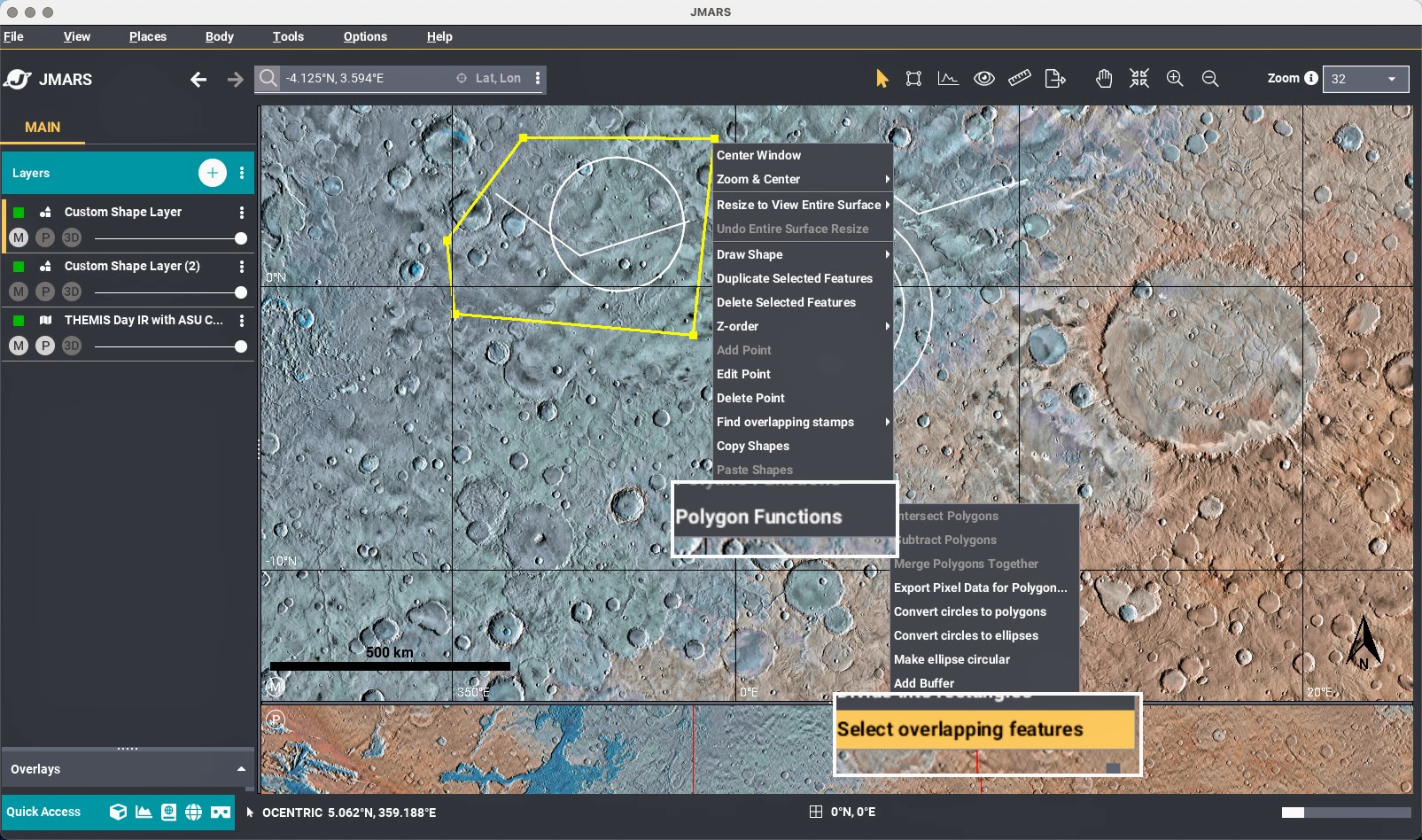
This new geometry tool can be accessed from the Shape Layer context menu under “Polygon Functions -> Select overlapping features”.
4. Shape Layer: Enhanced Calculated Field Options
The following calculated fields under Feature -> Edit Columns... menu now support user-selectable formatting and units, allowing values to align more precisely with user preferences, analysis standards, and export requirements.
- Enclosed Area & Perimeter
- Units: meters (m) or kilometers (km)
- Center Latitude
- Ocentric or Ographic
- Center Longitude
- -180° to 180°
- 0° to 360°
5. Ellipse Export Improvements
Ellipse exports now respect selected coordinate system and longitude format options.
Bug Fixes
- Autosave Improvements
Autosave now correctly preserves Overlays layer state. - Polyline Orientation Fix
Fixed flipped orientation when exporting to Profile Layer. - Mars Dune Database Update
Dataset aligned to remove unintended ographic shift. - Feature Table Context Menu Fix
Fixed "Save Selected Features". - Hosted Shape Layer Lon/Lat Fix
Fixed unintended ographic shift introduced in version 5.6.3. See Bug Notice for details.